
Website: Set up your website to host a blog


(if you have a WordPress site this can even be automated with AutoBlog).
Essential
- Website & access to your CMS (Content Management System)
- Editable canonical URL field
Optional automation
- AutoBlog for WordPress sites only
One-off set up tasks
- Create a blog section on your website
- Create a blog post page template
- Set up your canonical URL field to avoid duplicate content penalties
1) Create a blog section on your website
Most websites have the ability to show a blog (where the latest content appears at the top of the feed). If yours is not showing, look at your CMS's support to find the setting to switch it on.
You can call this 'blog', 'news', 'tech updates' or anything else you prefer.
Put a link in your navigation, to the left of your About us link.
Best practice is to choose a template with a featured image, headline, and excerpt text. Something like this:

2) Set up your blog post page template
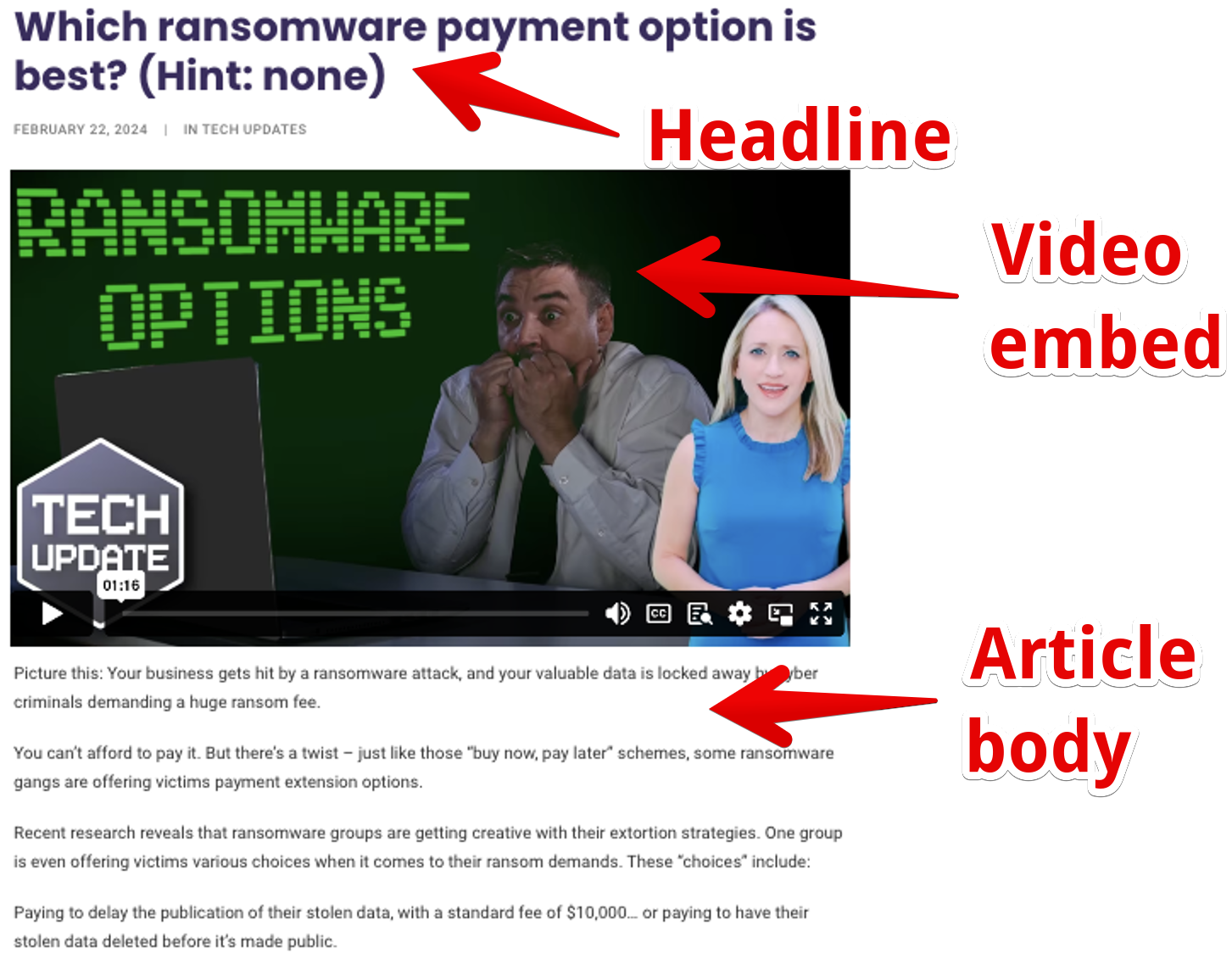
Best practice is to set up the page template in this order:
- Headline
- Video embed
- Article body
For example:
3) Set up your canonical URL field to avoid duplicate content penalties
What is syndicated content?
Hundreds of MSP Marketing Edge members use the same content every week. To do this without Google penalising you for duplicate content, you must tell search engines you are using a duplicate of the original and they should ignore the content.
This is called content syndication and is widely used across the web. It means there are no SEO benefits of using our blog. This is by design. The benefits are to show the humans you are active and THE local technology expert.
How do you do this?
We publish the content on our blog site Your Tech Updates, which is indexed by Google.
When you load each blog into your website, you add a little bit of code that shows it is authorised duplicate content. This is called a rel canonical tag. It looks like this:
<link rel="canonical" href="https://www.yourtechupdates.com/2021/11/17/now-you-can-change-the-notifications-in-your-teams-activity-feed/" />
The bit that says link rel="canonical" tells Google what the link is.
And the bit thsat says href="link" tells Google where the original content was published.
How do I set up the rel canonical tag on my website?
In WordPress, this is easily done using the Yoast SEO plugin.
Here's how to do it in Wix.
For other sites, you may need another SEO plugin or you can add the code to the <head> section of the page each week.
More info on canonical URLs here
Once this is set up you are ready to create your blog posts using the content provided as part of your membership.
Where do I get the video that accompanies the blog?
You'll find it with the blog content. We load each video into Vimeo and give you an embed code. If you prefer to add your branding to your video you can do this. You'll need to upload it to your own Vimeo or YouTube account, then just generate your own embed code.
What’s the Search Engine Optimisation (SEO) benefit of the blog?
Publishing the blog this way via content syndication is a great way to post regular relevant content. This wil impress the leads, prospects and clients visiting your site. However it doesn't provide any Search Engine Optimisation (SEO) benefits. If you are keen to get SEO benefit, use AI or hire a writer to rewrite each blog and turn it into unique content.
How can I automate this?
If you have a WordPress site, you can use our AutoBlog plugin to automatically load the every week's blog content and video to your website. You can choose to set posts to go live fully automatically, or be loaded as drafts for you to approve and publish.
Help! I can’t get AutoBlog to work
Check out this troubleshooting guide. If you're still stuck reach out to direct support.
My website isn’t great. What can I do to make it better?
Here’s a bitesize course that will help.
What if I don’t have a website/my website is from 1872?
Get a new website from our partners at Plexa.